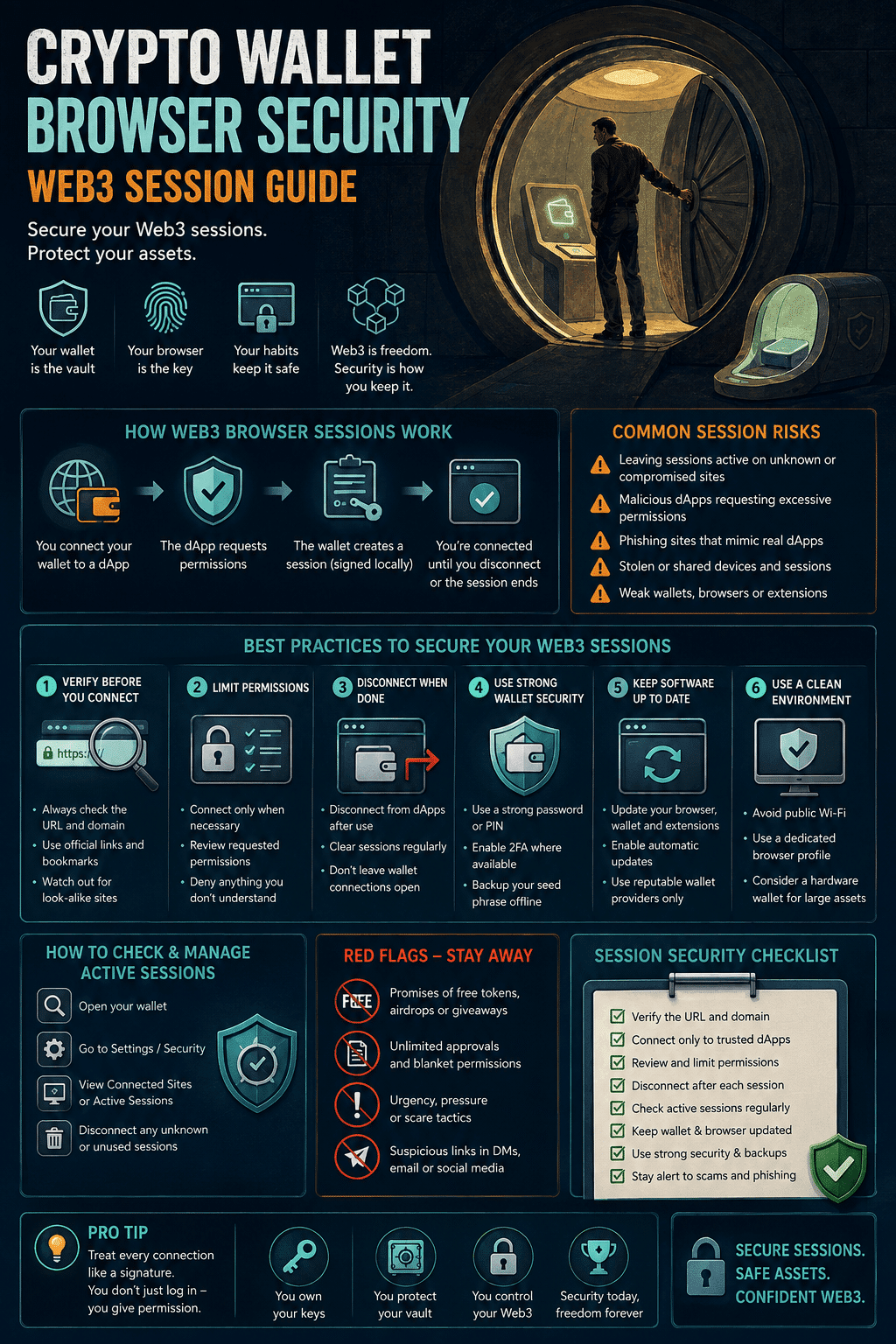
Crypto Wallet Browser Security: Web3 Session Guide
Wallet drainers and infostealers now target your browser, not the blockchain. Here is how to isolate sessions and audit approvals.

Most crypto is not stolen from the blockchain. It is stolen from the browser tab sitting in front of it.
Chainalysis tracked over $3.4 billion in cryptocurrency theft from January through early December 2025, and the shape of those losses says more than the headline number. Personal wallet compromise incidents surged to 158,000 in 2025, nearly triple the 54,000 recorded in 2022, with unique victims rising from 40,000 to at least 80,000 over the same period. Yet the total dollar value taken from individuals fell to $713 million, down from a 2024 peak of $1.5 billion, which indicates attackers are targeting far more users and stealing smaller amounts from each one. You can read the full breakdown of 2025 stolen funds from Chainalysis for the network-level detail.
That is the pattern to internalize. Nobody is writing a bespoke exploit for your wallet. They are running a wide net across ordinary users, and the net is cast in the browser. Blockchain transactions are irreversible and there is no recovery desk, so crypto wallet browser security is not a hygiene topic. It is the last checkpoint before a loss becomes permanent.
Table of contents
- Why Your Browser Became the Main Crypto Attack Surface
- Four Paths That Actually Drain Wallets
- Isolate the Wallet: A Dedicated Browser Profile
- Where Multi-Profile Browsers Help, and Where They Do Not
- The Approval Layer Most Guides Skip
- A Tiered Wallet Setup
- A Security Routine You Will Actually Keep
- Frequently Asked Questions About Crypto Wallet Browser Security
Why Your Browser Became the Main Crypto Attack Surface
Browser extension wallets such as MetaMask, Phantom and Rabby live inside the same process that loads your email, your ad accounts, your pirated-font download and whatever a colleague pasted in Slack. That co-location is the entire problem.
Standard browsers write extension state, local cache and active session tokens to predictable, unencrypted directories on disk. Infostealer malware does not need to break cryptography to profit from this. It walks known paths, copies whatever it finds, and ships it out. A single cracked installer can hand over every wallet database, cookie jar and saved credential on the machine before anything visible happens on screen.
The second exposure is behavioral. A page you visit can detect that a Web3 provider is injected, then present a connection prompt or a signature request styled to look routine. As self-custody expands into tokenized real-world assets and on-chain investment products, the value sitting behind a single browser approval keeps climbing while the interface for approving it stays a small popup with a blue button.
Four Paths That Actually Drain Wallets
Naming the mechanism matters, because each one needs a different control.
Infostealer malware. Malicious software reads wallet extension databases and session files from disk. Defeated by environment isolation and disk-level encryption, not by strong passwords.
Wallet drainers and malicious approvals. You connect to a dApp and sign what looks like a routine permission. The signature actually grants an unlimited spending allowance on a token, or executes a transfer outright. This is the loss mechanism browser isolation cannot touch, because the transaction is authorised by you. Nothing about a hardened profile changes what a signature does once it has been broadcast.
Session and cookie theft. Stolen session tokens let an attacker resume an authenticated session on custodial platforms without ever seeing your password or your second factor.
Clipboard hijacking and impostor extensions. Malware swaps a copied wallet address for the attacker’s at paste time, or a lookalike extension in a store harvests seed phrases during a fake “wallet recovery” flow.
Isolation addresses the first and third. Nothing but discipline addresses the second and fourth.
Isolate the Wallet: A Dedicated Browser Profile
The principle here is the same one that governs infrastructure decisions, where teams move from shared to dedicated environments precisely because isolated resources contain the blast radius of a single failure. Apply it to your own machine.
- Create a browser profile that does one thing. In Chrome, Brave, Edge or Firefox, make a new profile used only for wallet activity. Separate profiles maintain separate cookie stores, local databases and extension state.
- Install the wallet from the vendor’s own site, never from a store search. Go to the official domain, follow its link to the extension listing, and check the publisher and install count before adding it. Store search results for popular wallets routinely include convincing clones.
- Install nothing else in it. No ad blocker with broad permissions, no productivity extension, no password manager. Every extension in that profile is a component you are trusting with your funds.
- Never browse generally from it. No email, no social, no downloads, no search. The profile opens, connects to a known dApp, signs, and closes.
- Bookmark every dApp you use and reach them only from bookmarks. Search ads impersonating Web3 protocols are a persistent problem. Typing a protocol name into a search bar is a common way people arrive at a cloned frontend that looks correct in every visible respect.
- Enable full-disk encryption on the machine itself. FileVault on macOS, BitLocker on Windows, LUKS on Linux. This is the control that makes a stolen laptop useless, and it is free and already installed.
If your operating system’s encryption is on and the wallet profile is genuinely single-purpose, you have removed the majority of the infostealer surface without buying anything.
Where Multi-Profile Browsers Help, and Where They Do Not
Beyond the built-in profile feature, a category of dedicated multi-profile browsers adds local encryption of profile data, quick PIN locking, a kill switch that ends sessions when the connection drops, and disposable profiles for testing unfamiliar contracts. Maintaining robust online security across several separated identities is what these tools are built for, and for anyone running many distinct contexts on one machine, that consolidation is genuinely useful.
Be clear-eyed about the boundary, though. This category originated in multi-account management for advertising and e-commerce, not in wallet defense, and the two goals only partially overlap. Fingerprint separation and per-profile connections are privacy controls, closer in purpose to choosing a search engine that does not track you than to preventing theft. They reduce correlation between your identities. They do not evaluate what you are about to sign.
Specifically, a hardened profile will not save you if you approve a malicious contract, will not recover a seed phrase you typed into a phishing page, and will not stop a drainer once the signature is broadcast. Treat it as one layer, and never as the layer.
Tools named in this article are examples of their category rather than endorsements. Growwwth has no commercial relationship with any wallet, browser or security vendor mentioned here.
The Approval Layer Most Guides Skip
This is where the money is actually lost, and it is the section the average wallet-security article omits entirely.
Audit and revoke standing token approvals. Every “approve” you have ever signed may still grant a contract permission to move a token on your behalf, indefinitely. Use a revocation tool such as Revoke.cash or Etherscan’s Token Approval Checker, review the list, and revoke anything you do not currently use. Do this quarterly. An approval you granted to a dead protocol in 2023 is a live liability today.
Set spending caps instead of unlimited allowances. Most wallets let you edit the approval amount at signing time. Approve what the transaction needs rather than the default infinite allowance.
Read what you are signing. Rabby and recent MetaMask builds simulate the transaction and show expected balance changes before you confirm. If a simulation fails to render, or the outcome does not match what you expected the action to do, reject it. A rejected transaction costs you nothing.
Treat eth_sign and blind signature requests as hostile. A raw signature request with unreadable payload is an established drainer pattern. There is almost no legitimate reason to encounter one.
A Tiered Wallet Setup
Isolation of environments matters less than isolation of value. Split your holdings by exposure.
- Cold storage. A hardware wallet holding the majority of your assets, connecting to nothing, signing rarely. The seed phrase lives on paper or steel, never photographed, never typed into anything, never stored in a password manager or cloud note.
- Hot wallet. A modest working balance in the isolated browser profile, connected only to protocols you use regularly.
- Burner wallet. A near-empty address used exclusively for minting, airdrops, unaudited contracts and anything a stranger linked you to. If it gets drained, you lose a gas fee.
A hardware wallet is not immune, because it still signs what you approve. What it does is force a second deliberate confirmation on a separate screen, outside the browser the attacker controls. That gap is the point.
A Security Routine You Will Actually Keep
Anyone whose income and assets move entirely online already runs some version of this discipline, and the same habits that keep distributed financial operations from breaking apply directly to self-custody.
Weekly: lock or close the wallet profile when stepping away. Confirm no new extensions appeared in it.
Monthly: update the browser and wallet extension. Verify your extension’s publisher and install count still match what you expect.
Quarterly: run a token approval audit and revoke stale permissions. Confirm your seed backup is still where you think it is and still legible.
Immediately, if you suspect compromise: move funds to a fresh wallet generated on a clean device. Don’t try to clean the compromised one. Revocation cannot outrun an attacker who already holds your key.
About this guide. This article summarises publicly documented attack patterns and defensive practices for browser-based crypto wallets. The theft figures come from the Chainalysis 2026 Crypto Crime Report. It is general education, not security or financial advice for any specific situation, and it should not replace the documentation published by your own wallet provider. Growwwth does not custody assets and does not develop wallet or browser software. Last reviewed August 2026.
The short version. Isolation protects your keys from software you did not intend to run. It does nothing about software you did intend to run. Put the majority of your holdings on a hardware wallet, keep a small working balance in a browser profile that does nothing else, use a burner for anything unfamiliar, and audit your token approvals every quarter. The step that saves people is reading the confirmation screen, not the tool that renders it.
Frequently Asked Questions About Crypto Wallet Browser Security
It is the highest-risk configuration in common use. Your wallet shares a process with every site you visit and every extension you have installed. Moving it to a dedicated profile takes about two minutes and removes most of the exposure.
A malicious contract or script that tricks you into signing a transaction or approval that transfers your assets to the attacker. It is not a hack in the technical sense. You authorize it, which is why it works against hardware wallets too.
Connect your wallet to a revocation tool such as Revoke.cash, or use the token approval checker on the relevant block explorer. Review every active allowance and revoke anything you no longer need. Each revocation costs a small gas fee.
No. A VPN changes your IP address and encrypts your traffic in transit. It does not stop malware from reading files on your machine, it does not inspect the transactions you sign, and it does not prevent you from approving a malicious contract. It solves a network privacy problem, not a wallet security one.
Partially. They provide isolation and local encryption, which helps prevent malware from reading profile data. They provide nothing against malicious approvals, phishing sites or seed phrase disclosure. Use one as a supplement to a hardware wallet, never as a replacement.
Yes, if you approve a malicious transaction. The device protects the private key from extraction, not from misuse. Its real value is the separate confirmation screen, which is why reading that screen before pressing confirm matters more than owning the device.
Infographic