Donor Recognition for Schools: 7 Steps to Celebrate Every Milestone Online
Seven steps to recognize school donors at every milestone: fair giving levels, consent, donor stories, a digital donor wall and retention tracking.
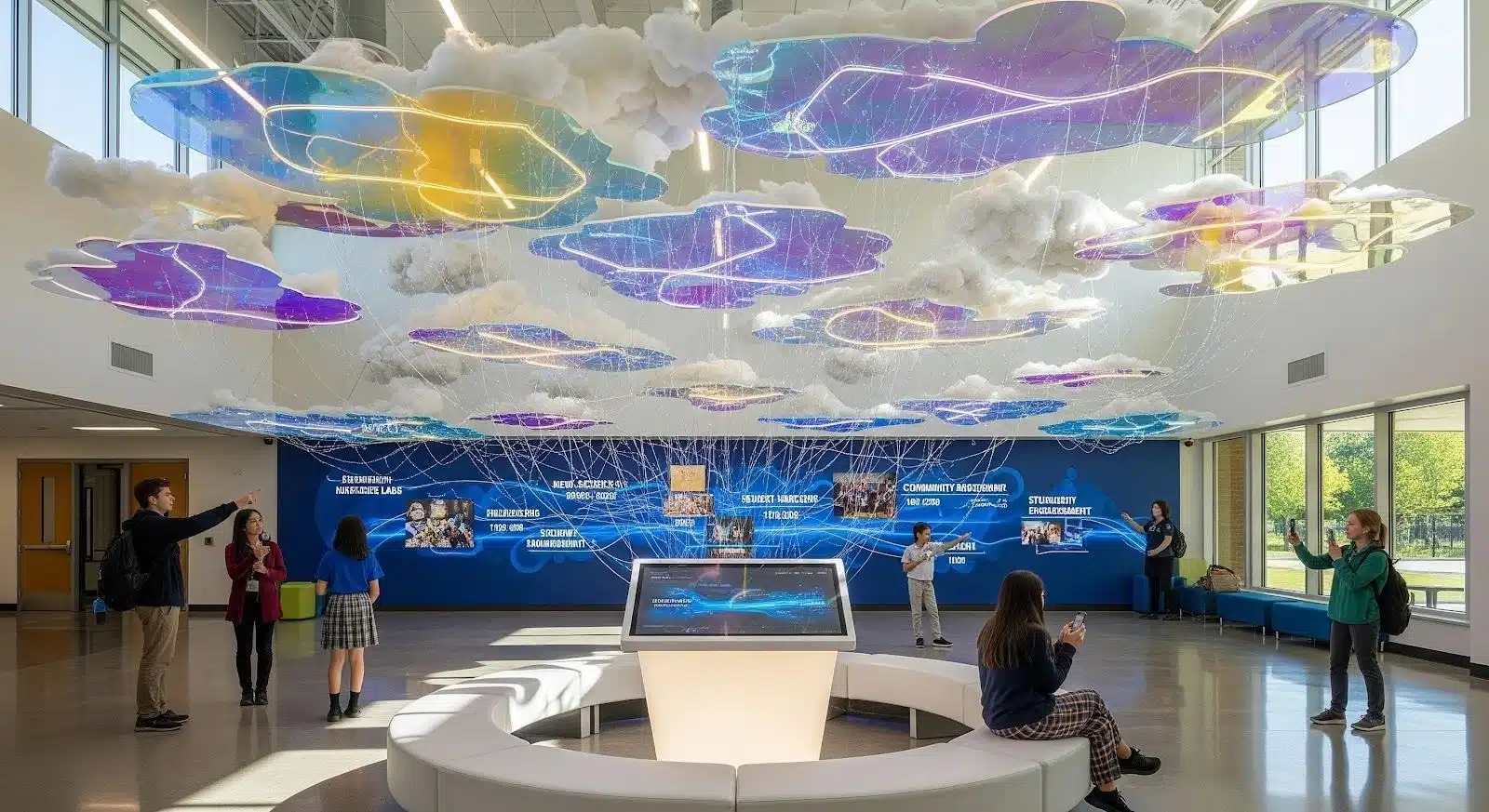
Almost every school has a donor plaque that nobody reads. It hangs in a side hallway, lists names from a campaign that closed years ago, and says nothing about why those people gave or what their generosity built. The alumni who funded the science labs, the parent who has given every autumn for twelve years, the retired teacher who quietly endowed a scholarship: all of them deserve more than engraved metal that stopped changing the day it was installed.
Donor recognition is how a school thanks the people who fund it, in public and in private. Donor milestone recognition fixes the plaque problem by timing that thanks to the moments that matter, such as a first gift, a tenth consecutive year of giving, or a lifetime total that reaches a new giving society, and by showing it where people will actually see it. Cloud-based tools make donor recognition for schools practical at almost any budget, because one set of records can feed a digital donor wall in the lobby, an online donor wall on your website and your thank-you emails at the same time.
This guide is written for schools and colleges in the United States. The legal references to FERPA and the ADA apply there, but the recognition steps themselves work for schools and nonprofits anywhere.
The timing matters. According to the Fundraising Effectiveness Project, overall donor retention was 43.3% in 2025 and first-year retention stayed essentially flat, while the number of donors fell for the fifth year in a row. The project’s full Q4 2025 report puts first-time donor retention at 18.9%, so fewer than one in five new donors give a second time. Recognition will not fix every retention problem, but it is one of the few donor stewardship tools a school fully controls.
This guide explains how to recognize donors at each milestone in seven practical steps:
- Write a donor recognition policy, using the template below, and set fair giving levels before you buy anything.
- Collect consent and recognition preferences.
- Tell supporter stories, not just names.
- Connect your donor database so updates take days, not months.
- Publish once and show everywhere, on a digital donor wall and online.
- Design for discovery and accessibility.
- Announce milestones, measure results and refresh the content.
Table of contents
- Which Donor Milestones Should a School Recognize?
- Step 1: Write a Donor Recognition Policy Before You Buy Anything
- Step 2: Collect Consent and Recognition Preferences
- Step 3: Tell Supporter Stories, Not Just Names
- Step 4: Connect Your Donor Database So Updates Take Days, Not Months
- Step 5: Publish Once, Show Everywhere
- Step 6: Design for Discovery and Accessibility
- Step 7: Announce Milestones, Measure Results and Refresh
- What to Ask Before Choosing a Cloud Recognition Platform
- A 90-Day Launch Plan for School Donor Recognition
- Common Donor Recognition Mistakes to Avoid
- A Legacy That Keeps Growing
- Recognition Policy, Giving Levels, Anonymity and Cost: Quick Answers
Which Donor Milestones Should a School Recognize?
Not every gift needs a spotlight, but every donor should reach a moment when the school visibly notices them. The donor recognition ideas below cover the milestones most schools track, from a parent’s first small gift to a planned estate commitment.
| Milestone | Typical trigger | On the wall | Beyond the wall |
|---|---|---|---|
| First gift | First recorded gift from a new donor | Added to a rotating “newest supporters” view, if they opt in | Thank-you within 48 hours and a short impact update within 90 days |
| Consecutive giving | 3, 5, 10 or 25 years in a row | Loyalty badge and giving streak on their profile | Handwritten note from a teacher or student |
| Cumulative giving | Lifetime total reaches a giving society threshold | Profile moves to the new society tier | Personal call from the head of school or principal |
| Campaign completion | Campaign goal met or project opens | Campaign story with before and after photos and the full donor roll | Invitation to the ribbon cutting or first use of the space |
| Legacy commitment | Bequest or planned gift documented | Legacy society listing, with permission | Invitation to a legacy society gathering |
| Volunteer or mentor service | A set number of years or hours | Volunteer honor roll | Recognition at an assembly or event |
| Class participation | A class reaches its giving participation goal | Class-year page showing the participation rate | Announcement at the reunion |
Two rules keep this fair. Count cumulative giving across a donor’s whole history, not just the current campaign, so a family that has given modest amounts for fifteen years is not outranked by one large gift. And decide whether pledges count when they are made or when they are paid, then apply that rule to everyone.
Step 1: Write a Donor Recognition Policy Before You Buy Anything
The most common failure in school donor recognition is not the technology. It is the absence of written rules. When a board member asks why one family appears in the leadership circle and another does not, “the software put them there” is not an answer.
A one or two page policy, approved by your head of school or advancement committee, should settle:
- The names and thresholds of your giving societies, and whether they use lifetime, annual or campaign totals.
- What counts toward a total: outright gifts, paid pledges, matching gifts, spouse or family credits and in-kind gifts.
- How donors are listed by default (full name, household name or Anonymous) and how they can change it.
- Whether gift amounts ever appear publicly. Most schools show levels or ranges, never exact figures.
- How long recognition stays up, and what happens if a pledge goes unpaid.
- Who approves changes and how quickly corrections are made.
Write this first and every later decision gets easier, from the database fields you need to the layout of the screen.
Donor Recognition Policy Template You Can Copy
If you are starting from nothing, adapt this outline. Replace the bracketed items with your own choices:
Donor Recognition Policy: [School name]
Approved by [head of school or advancement committee] on [date]. Reviewed every [two] years.
- Purpose. This policy explains how [School name] recognizes donors fairly and consistently in print, on screens and online.
- Giving societies. Our levels and thresholds are listed in Appendix A and use [annual / lifetime / campaign] totals for the fiscal year running [July 1 to June 30].
- What counts. Outright gifts, pledge payments, [employer matching gifts] and [in-kind gifts at documented value]. Pledges count [when paid / when signed].
- Listing names. Donors are listed by default as [full name / household name]. Any donor may choose a different listing, Anonymous, or no listing at all, at any time.
- Gift amounts. We show giving levels, never exact amounts.
- Students. Student names, photos and stories appear only in line with our directory information policy, and with written family consent for anything beyond it.
- Corrections. [Role] completes requests to correct or remove a listing within [five] business days.
- Duration. Annual listings stay up for [one year]. Naming and lifetime recognition stays up for [the life of the space], unless a pledge is not fulfilled.
- Changes. New thresholds take effect from the next fiscal year, and current members keep their level until then.
Keep it to one or two pages, get it approved before any vendor demo, and publish a short version on your online donor wall so donors can see the rules that apply to them.
How to Set Giving Society Levels That Feel Fair
Giving society levels, sometimes called donor recognition levels, decide who appears where, so set them from your own data rather than copying another school’s chart. Export three years of annual fund gifts, sort donors by yearly total and look for the natural breaks. A practical starting point is to put the first leadership level where roughly your top tenth of annual donors land, so it is reachable for a committed family but still means something.
Here is how that works in practice. Say 600 people gave to last year’s annual fund. Sort them by total and look at the 60th donor from the top. If that donor gave $1,800, round to a memorable figure nearby, such as $1,923 for a school founded in 1923, and make it your first leadership level. Run the same check on the year before, so one unusual year does not set the bar for everyone.
Then build the rest of the structure around three principles:
- Give every donor a home. A base level for any gift, however small, means nobody who gave is missing from the list.
- Reward loyalty separately from size. A loyalty society for three or more consecutive years at any amount lets a $50 donor of fifteen years stand beside a leadership donor. Decide in advance whether one missed year resets the count.
- Lower the bar for recent graduates. A young alumni threshold for graduates of the last ten years recognizes the giving habit before incomes catch up.
Here is an example structure for a small independent school. The names and amounts are illustrative only, so adjust them to your own gift data:
| Level (example name) | Annual giving | Purpose |
|---|---|---|
| Friends of [School] | Any gift | Recognizes every donor |
| Blue and Gold Society (your school colors) | $250 to $999 | Loyal parents, alumni and staff |
| 1923 Society (your founding year) | $1,923 to $4,999 | First leadership level, easy to remember |
| Head’s Circle | $5,000 and above | Leadership donors who receive a personal thank-you |
| Loyalty Society | Three or more consecutive years, any amount | Runs alongside the dollar levels |
| Young Alumni Level | $100 and above for graduates of the last ten years | Builds the giving habit early |
Write down how each total is counted. If you want the figures on your donor wall to match what your advancement office reports to the board, base your rules for pledges and multi-year commitments on the CASE Global Reporting Standards, which give schools a shared set of definitions for counting gifts. And when you change thresholds, apply the change from the next fiscal year and keep existing members at their current level, so nobody is moved down in the middle of a year.
Step 2: Collect Consent and Recognition Preferences
Recognition is only a gift if the donor wants it. Some supporters give quietly for personal or religious reasons, some are uncomfortable seeing their name next to a giving level, and memorial gifts involve family members who deserve a say. Ask every donor, ideally on the gift form itself, how they want to be listed and whether their photo or story may appear on public screens and online.
A short question on the gift form covers most cases:
How would you like to be recognized?
☐ List me as: ______________ (for example, Jane and Sam Rivera, or The Rivera Family)
☐ List my gift as Anonymous
☐ Please don’t list me publiclyMay we share your photo or a short story about your gift on our donor wall and website?
☐ Yes ☐ Ask me first ☐ No
Schools carry an extra responsibility when students appear in recognition content, such as scholarship recipients thanking their donors. The US Department of Education’s guidance on photos and videos under FERPA notes that schools often either designate photos from public events as directory information or get family consent before publishing them. Check your directory information policy and opt-out list before publishing any student’s name or photo, and get written permission from the family for anything beyond directory information, such as a video interview. Store every preference in your donor database rather than in someone’s inbox, so the rule travels with the record.
Step 3: Tell Supporter Stories, Not Just Names
A name tells visitors that someone gave. A story tells them why, and that is what moves the next person to give. Compare a line reading “Mr. and Mrs. Johnson, $10,000” with a short profile explaining that the Johnsons funded the robotics lab because their daughter discovered engineering in a borrowed garage workshop, shown next to a photo of this year’s team using the equipment.
Good profiles are short and specific: two or three sentences on the donor’s connection to the school, what the gift made possible, and one piece of evidence such as a photo, a student quote or a 60-second video. Stories in the donor’s or a student’s own words work better than polished copy, for the same reason that real stories from real people earn more trust than polished marketing.
You do not need to profile everyone at launch. Start with ten to twenty stories that represent different kinds of supporters, including small but loyal donors, volunteers and young alumni, then add a few each month.
How to Collect Donor Stories Without Chasing People
The hardest part of story-led recognition is not the writing. It is getting the raw material without sending a dozen follow-up emails. Build collection into moments that already happen:
- Add two optional questions to the online gift confirmation page: what first connected you to the school, and what you hope this gift makes possible.
- Take notes during thank-you calls. A donor’s first answer to “why did you give?” is often the best line you will get.
- Ask scholarship recipients for a short thank-you each year, with family permission, and pair it with the donor’s profile.
- Invite alumni to submit a photo and a sentence through a simple form on the online donor wall.
Treat every submission the way careful brands treat user-generated content: get explicit permission to publish, edit lightly for spelling and length, keep the donor’s own voice, and send the final version back for approval before it goes live. A story the donor signed off on is one they will share with friends, which is free reach for your next campaign.
Step 4: Connect Your Donor Database So Updates Take Days, Not Months
Physical recognition fails at the update. A major gift arrives in October, the engraver’s next opening is in March, and by the time the name appears the moment has passed. A cloud platform removes the engraver, but it only removes the delay if updates flow from the system where gifts are already recorded.
Ask how the platform connects to your CRM, whether that is Raiser’s Edge NXT, Salesforce, Bloomerang, DonorPerfect or a school management system with an advancement module. A direct integration or a scheduled import means a new society member can appear on screen within a day, with no retyping and fewer misspelled names. Manual entry can work for a small school, but it needs one owner and a weekly routine, or the screen drifts out of date.
The same data should trigger your thank-you messages. When a donor crosses a milestone, a personal email sent in the development director’s name, with a link to their new profile, reaches them while the gift still feels recent. Most email marketing tools with strong CRM integrations can send these milestone messages automatically without extra software.
Here is a milestone email you can adapt. Keep it short, specific and free of any new ask:
Subject: Ten years of giving, [First name]. Thank you.
Hi [First name],
This fall marks your tenth consecutive year of giving to [School name]. Over that time, your support has [one specific, true outcome, such as helping fund the new science labs].
We’ve added a loyalty badge to your profile on our online donor wall, and you can see it here: [link to profile].
If you’d like to be listed differently, or not at all, just reply to this email and we’ll update it.
With thanks,
[Name], Director of Development
The subject line decides whether the message is read at all. Lead with the milestone and the donor’s first name, keep it short enough to read in full on a phone, and avoid anything that sounds like a request for money. The general rules for writing email subject lines people actually open apply here, minus the urgency tactics, which feel wrong in a thank-you.

Clean the Data Before Anything Goes Public
A recognition display turns every database error into a public one. Before launch, and before any automated milestone email goes out, run these checks:
- Deceased donors. Run your CRM’s deceased flag and suppression lists, and look closely at long-time donors who have gone quiet. Congratulating someone who has died is the error families remember. Memorial listings should use “In memory of” wording agreed with the family.
- Recognition names. Add a recognition-name field separate from the legal name, so a household can appear as The Rivera Family and an alumna who changed her name is shown correctly.
- Households and soft credits. Decide who is named when one spouse gives, when a gift comes from a family foundation or donor-advised fund, and when an employer matches a gift.
- Duplicate records. Merge duplicates before you calculate consecutive years, or a ten-year donor can appear as two five-year donors.
- Tribute gifts. Credit the donor, and list the person honored as “In honor of” only with the donor’s agreement.
Then send each leadership donor a listing proof two weeks before launch: a short email showing exactly how their name and level will appear, with an invitation to reply with corrections. It catches the errors your checks missed and doubles as a stewardship touch.
Step 5: Publish Once, Show Everywhere
The biggest advantage of cloud-based donor recognition is reach. A lobby wall is seen by current families and the occasional visitor. The same content published as a virtual donor wall on your website can be explored by an alumna in another state, a grandparent who gave in honor of a graduate, or a prospective family comparing schools.
Treat that online page like any campaign page. It needs a clear headline, fast mobile loading and one obvious next step, usually a link to give or to join a giving society. The elements of a high-converting landing page apply almost one for one, and social proof is already built in, because the page is full of real people who chose to give.
Then link to the online wall from the places supporters already look: your annual report, the alumni newsletter, advancement staff email signatures and the confirmation page after an online gift.
Plaque, Digital Donor Wall or Online Donor Wall?
Most schools end up with a mix of formats. Here is how they compare:
| Format | How updates happen | Who sees it | Best for | Watch out for |
|---|---|---|---|---|
| Engraved plaque or donor board | New plates ordered, often weeks per change | People who walk past that wall | Permanent naming, such as a building or an endowed scholarship | Cost per name and running out of space |
| Digital donor wall (touchscreen on campus) | Edited in the platform or synced from your CRM, usually within days | Families, students and visitors on campus | Lobbies and capital campaigns | Hardware lifespan and annual subscription fees |
| Online donor wall (a page on your website) | Same database as the screen, or a regular export | Anyone, anywhere, including distant alumni | Every school, including those with no hardware budget | WCAG 2.1 AA requirements and being forgotten in site navigation |
Digital donor recognition walls are the most visible version of this setup: a touchscreen on campus that reads from the same cloud database as your online donor wall, so one update reaches both audiences. Engraved plaques still earn their place for permanent naming, where the name should never change.
Editorial note: Growwwth has no commercial relationship with Touchstone Digital Solutions. We link to its page as one example of this product category because it shows installations at schools and universities. Compare several providers using the questions in the vendor section below before choosing.
No hardware budget yet? Launch the online donor wall first. A searchable page on your website, updated from a regular export of your donor database, does most of what a touchscreen does except stand in the lobby. Thank-you videos can live on a free school YouTube channel, posted with the donor’s permission and titled with the donor’s or scholarship’s name so people can find them, following the basics of optimizing YouTube videos for search. Add the touchscreen when a campaign or a lead donor can fund it.
Step 6: Design for Discovery and Accessibility
Static plaques are read in passing. Interactive recognition invites people to search for a name, filter by class year or giving society, and follow one story to the next. A prospective student may learn that the entrepreneur who funded the robotics lab grew up in their town. An alumnus may find a scholarship named for a favorite teacher and decide to add to it. Those moments only happen when exploring is easy.
- Search by name, plus filters for class year, giving society, campaign and building.
- A “newest supporters” view that changes weekly, so repeat visitors always see something new.
- Class-year pages with participation rates, which turn alumni giving into friendly competition before reunions.
- Captions on every video and alt text on every photo in the web version.
Make the wall look like your school rather than the vendor’s demo. Use your own fonts, colors and photo crops, color-code giving societies from your brand palette, and write a one-page style guide so a profile added in three years matches one added this week. It is the same thinking behind building trust through consistent visual branding. Before you lock the palette, check that text meets the WCAG contrast minimum of 4.5:1, because school colors that look fine on a banner often fail it on a screen.
Accessibility is not optional. A touchscreen donor display should keep its controls within the reach ranges in the 2010 ADA Standards for Accessible Design, which generally means between 15 and 48 inches above the floor, with clear floor space in front of the screen for a wheelchair user. Public school districts and public colleges in the United States also fall under the Justice Department’s ADA Title II rule for web content and mobile apps, which requires WCAG 2.1 Level AA, including for pages a vendor hosts on your behalf. After a one-year extension issued in April 2026, compliance is due by April 26, 2027 or April 26, 2028, depending on the population the entity serves. The National Federation of the Blind has challenged that extension in federal court, so check ADA.gov for current dates. Private schools fall under ADA Title III rather than this rule, but meeting the same standard is still the right call.
Step 7: Announce Milestones, Measure Results and Refresh
Recognition nobody hears about only does half its job. When a donor reaches a milestone, tell them first, then tell the community: a line in the alumni newsletter, a social post with their permission, a mention at the next event.
Rotate featured content with the school calendar so the wall never goes stale. Feature alumni donors during homecoming and reunion weekends, campaign progress during giving days, and scholarship benefactors alongside their students at graduation.
Then measure what happens. Useful metrics include:
- Time from gift to recognition, aiming for days rather than months.
- The second-gift rate among first-time donors, compared with previous years.
- Retention within each giving society.
- Visits to the online wall and clicks from it to your giving page.
- Correction requests, which show whether your data is clean.
For the second-gift rate, use the same definition the Fundraising Effectiveness Project uses for first-time donor retention: take last year’s first-time donors, count how many gave again this year, and divide by the total. If 400 people gave for the first time last year and 76 of them gave again, your rate is 19%, close to the 18.9% sector figure for 2025. Track it within each giving society as well, because a falling rate in one level usually points to a recognition or stewardship gap there.
A lightweight, privacy-focused tool from this roundup of Google Analytics alternatives is usually enough to track visits and clicks on a school website without collecting more personal data than you need. Recognition will never be the only reason retention moves, so compare donor cohorts over at least two years before drawing conclusions.
What to Ask Before Choosing a Cloud Recognition Platform
Recognition platforms look similar in a demo. The differences show up in year two. Before signing, get written answers to these questions:
- What is the five-year total cost, including hardware, installation, software subscription or license, content setup and support?
- Can we export every profile, photo and video in a standard format if we leave?
- What does the lobby display show if the school’s internet goes down? Good systems keep a local copy of the content.
- How does the platform connect to our CRM, and who maintains that connection?
- Does the web version meet WCAG 2.1 AA, and can the vendor share a recent accessibility audit?
- Who can edit content, and is there role-based access with an edit history?
- How long do the screens last, and what does replacement cost?
To sanity-check the numbers you get back, compare them with the five-year costs of every recognition display option, from refreshed trophy cases to touchscreen walls.
Ask for a reference from a school similar to yours in size and staffing, not just the vendor’s largest client. A system a university runs with a five-person advancement team can be far too much for a school where one person handles development part time.
A 90-Day Launch Plan for School Donor Recognition
Most schools can launch a working program in about three months if they treat it as a project with an owner and a date. A realistic sequence:
| When | Focus | Done when |
|---|---|---|
| Weeks 1 to 2 | Draft the recognition policy and giving society levels | Policy approved by the head of school or advancement committee |
| Weeks 3 to 4 | Add the recognition question to gift forms and audit existing preferences | Every leadership donor has a recorded preference or an open request |
| Weeks 5 to 6 | Clean the data and add a recognition-name field | A test export shows exactly what should appear on screen |
| Weeks 7 to 8 | Choose a platform or the web-only route, and collect the first 10 to 20 stories | Contract or build plan signed off, stories approved by donors |
| Weeks 9 to 10 | Build the online donor wall and set up milestone emails | Accessibility check passed, test email sent to staff |
| Weeks 11 to 12 | Send listing proofs and run a soft launch | Corrections made, weekly update owner named |
| Day 90 | Public launch tied to an event such as homecoming, a giving day or a reunion | Announcement sent and baseline metrics recorded |
If a touchscreen is part of the plan, hardware ordering and installation can push the lobby display past day 90. Launch online on schedule anyway, and let the screen join when it is ready.
Common Donor Recognition Mistakes to Avoid
- Launching with a names-only list and promising to add stories later.
- Publishing exact gift amounts, which invites comparison and discomfort.
- Recognizing only major gifts, which tells loyal small donors they do not count.
- Going live before the data is clean, so a deceased donor or an outdated household name appears on launch day.
- Leaving a misspelled name on screen for weeks because nobody owns corrections.
- Uploading videos without captions.
- Listing a donor who asked to remain anonymous. One mistake here can end a relationship.
A Legacy That Keeps Growing
A plaque is finished the day it goes up. A well-run cloud recognition program keeps growing with the school: every new society member, every class reunion and every scholarship student adds to it without new hallway space or another engraving invoice.
The steps are simple, even if doing them well takes discipline: agree on the rules and levels, respect each donor’s wishes, tell real stories, clean and connect the data, publish everywhere, design for everyone and measure what happens. Do that, and donor milestone recognition becomes more than a thank-you. It becomes the clearest evidence a future supporter will see that people who give to your school are noticed, remembered and never taken for granted.
Recognition Policy, Giving Levels, Anonymity and Cost: Quick Answers
Most schools recognize a first gift, consecutive years of giving (commonly 3, 5, 10 and 25 years), a lifetime total that reaches a new giving society, a campaign or building project reaching completion, and a documented legacy gift. Volunteer service and class participation goals before reunions are worth recognizing too.
Start from your own giving data. Export three years of gifts, look for natural breaks, and set the first leadership level where roughly your top tenth of annual donors land. Add a base level for every donor, a loyalty society for consecutive years at any amount, and a lower threshold for recent graduates. Write down how pledges and multi-year gifts count, and apply any threshold change from the next fiscal year.
Your giving society names and thresholds, what counts toward a total, how pledges and matching gifts are treated, how donors are listed by default and how they can change that or stay anonymous, whether amounts are ever shown, rules for students, who handles corrections and how fast, and when threshold changes take effect. One or two pages approved by the head of school or advancement committee is enough.
List the gift as Anonymous, or leave it off public displays entirely if the donor prefers, and thank them privately with a personal letter or call. Record the preference in your donor database so it applies everywhere, including annual reports and event programs.
Yes, with care. In the United States, check your FERPA directory information policy and opt-out list before publishing a student’s name or photo, and get written permission from the family for quotes, stories or videos. When in doubt, feature the scholarship and its impact without identifying the student.
Costs depend on the number and size of screens, installation, software pricing and how much content has to be created or digitized. Ask every vendor for a five-year total that includes hardware, subscription or license fees, setup, support and screen replacement, then compare it with what new plaques and engraving would cost over the same period.
Aim for days, not months, ideally within a week of the gift being processed. Speed depends less on the screen than on how the platform connects to your donor database, so automate the data flow where you can and give one person responsibility for weekly checks.
It helps, but rarely on its own. Recognition works alongside prompt thanks and clear reporting on impact. Track second-gift rates and giving society retention for at least two years after launch to see what recognition contributes at your school.
How this guide was researched: It draws on the Fundraising Effectiveness Project’s 2025 data published by the Association of Fundraising Professionals, the CASE Global Reporting Standards for counting gifts, the US Department of Justice’s ADA Title II rule for web content and its April 2026 extension, and the US Department of Education’s FERPA guidance on student photos and videos. The policy template, the giving levels table and the worked examples use illustrative names and numbers, not benchmarks. Last reviewed in October 2026.
