Free Link in Bio for Brand Deals: How to Simplify Collaborations and Grow Income
A free link in bio can book brand deals, not just hold links. What to put on it, which free tools fit, and the numbers worth tracking each week.
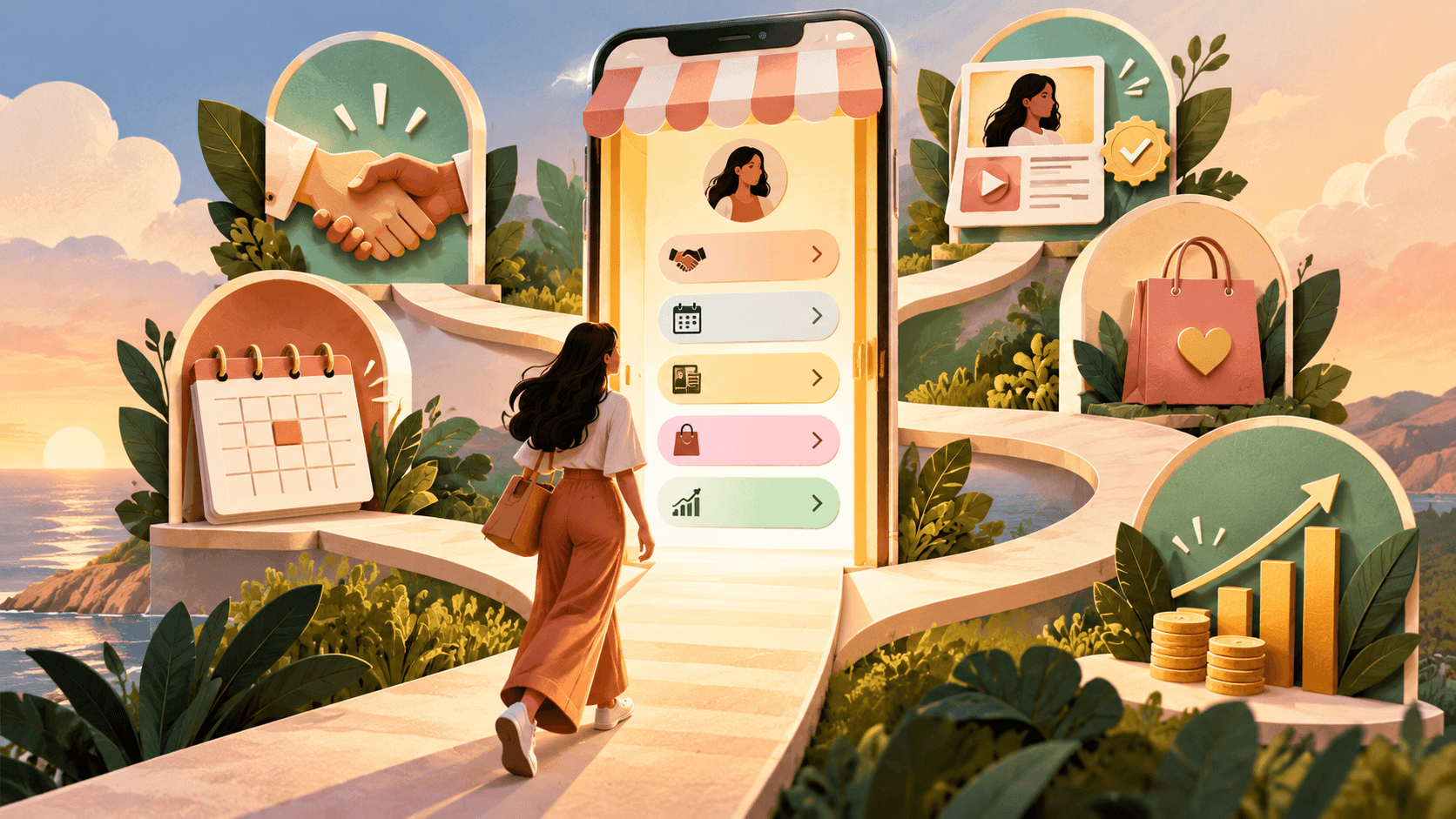
Brands rarely start a collaboration in your DMs. They tap your link in bio first, scan it for a few seconds, and decide whether you look easy to hire. A free link in bio can win that moment as well as any paid setup, as long as you build it like a small landing page with one job: move the right visitor to the right action in as few taps as possible.
This guide shows how to use a link in bio for brand deals, simplify collaborations and grow income from the same page: what to put on it, how to replace “DM for rates” with a Work With Me path, which free link in bio tools fit brand deals (and which ones are not actually free), how to label sponsored and affiliate links, and which numbers tell you the page is earning. It is written for creators on Instagram, TikTok and YouTube at any size, because brands check the bio link whether you have 3,000 followers or 300,000.
Table of contents
- The Short Version: What a Free Link in Bio Needs to Win Brand Deals
- Why Brands Check Your Link in Bio Before They Message You
- What to Put in Your Link in Bio So Brands Can Hire You
- Build a Work With Me Page That Replaces “DM for Rates”
- How to Disclose Sponsored and Affiliate Links on Your Bio Page
- Five Ways a Free Link in Bio Grows Your Income
- Best Free Link in Bio Tools for Brand Deals, Compared
- How to Set Up a Free Bio Page in One Sitting
- Where to Add Your Link in Bio on Instagram, TikTok and YouTube
- How to Track Whether Your Link in Bio Is Working
- Common Mistakes That Quietly Kill Bio Link Conversions
- Bio Link Goals at a Glance: Buttons, Proof and Metrics
- Free Link in Bio Checklist
- Final Thoughts
- Free Link in Bio Questions: Tools, Fees, Disclosure and Tracking
The Short Version: What a Free Link in Bio Needs to Win Brand Deals
- A one-sentence headline that says who you help and what you are known for.
- One primary button tied to the income goal that matters most this month.
- A Work With Me button that opens a short form or a packages page, not your DMs.
- Proof a brand can check in ten seconds: past partners, one result, one testimonial.
- Three to six supporting links, and nothing else competing for attention.
- Ad and affiliate labels on the posts themselves, with the bio page labeled too.
- A weekly look at taps and inquiries, with the winning button moved to the top.
Why Brands Check Your Link in Bio Before They Message You
Collaboration friction usually comes from three places: offers that are unclear, too much back and forth, and proof that is missing. A brand manager with a budget and a deadline will not dig through 300 posts to work out what you sell. They want to know what you do, who you reach, roughly what you charge and how to book you. If your bio link answers that, you move up the shortlist. If it is a stack of fifteen unlabeled buttons, you drop off it, and you never find out why.
Brands keep looking because creator content keeps selling. Sprout Social’s influencer marketing guide cites its State of Influencer Marketing research showing that 49% of consumers buy something at least once a month because of an influencer post. With that kind of buying behavior, more brands go looking for creators on their own instead of waiting to be pitched, which turns the first few seconds on your bio page into a sales moment rather than a design detail.
The income side points the same way. Kajabi’s State of Creators report, published in early 2024 and summarized by Net Influencer, found that creators earning over $100,000 a year average five revenue streams while lower earners average two, and creators above $150,000 are more likely to run about seven. Read that as a direction, not a law, since it comes from a course platform that benefits when creators sell products. It does match what a bio link is good at, though: sending different visitors to different ways of paying you.
What to Put in Your Link in Bio So Brands Can Hire You
Most people who tap your bio want one of three things: your best content, your best offer, or a fast way to contact you. Brands want one thing: a clear way to work with you. You do not need twenty buttons or a paid plan for that. You need a page that behaves like a high-converting landing page, with one main action and everything else in a supporting role.
Start with a one-sentence headline
Say who you help and what you are known for, in plain words. “Short home workouts for busy parents” beats “Fitness | Lifestyle | Vibes” every time. If a brand manager cannot repeat your headline to their boss in one sentence, it is too clever.
Pick one primary button
Match it to the income goal that matters most right now. Chasing brand deals? The top button is Work With Me. Launching a product? It is the product. Building your list? It is the free resource. You can change it next month. What does not work is giving three buttons equal weight and hoping visitors choose.
Add three to six supporting links
A portfolio, a shop, a newsletter, a booking link and your latest video are usually plenty. Each label should finish the sentence “Tap here to…” without the visitor having to guess what happens next.
Put proof where brands can see it
A row of three past partner logos, one short testimonial, or one result written as a number (for example, “2,400 link clicks to a product launch in 48 hours”) does more for trust than a long bio. Only publish numbers you can back up with an analytics screenshot, because serious brands will ask for one.
Example: a free bio page layout for a home fitness creator
The creator below is invented. The structure is the point, and it works across niches:
- Headline: Short home workouts for busy parents. New videos three times a week.
- Primary button: Work With Me (for brands)
- Proof strip: three partner logos and average views per video, updated monthly
- Free 7-day plan: email signup
- Shop my training plans: digital products
- Gear I use: affiliate links, labeled as affiliate
- Latest video: the newest upload
Build a Work With Me Page That Replaces “DM for Rates”
The most expensive habit on a creator profile is forcing brands into a DM that starts with “Hi, can you send your rates?” It slows every deal down, and it attracts low-intent offers, because people who are not serious are happy to waste your time in DMs.
Make collaborations feel like ordering, not negotiating. Your Work With Me button should open a page or form that collects what you need before the first call:
- Brand name, contact person and work email
- Campaign type: sponsored post, UGC only, affiliate, or long-term ambassador
- Deliverables and platforms
- Timeline and go-live date
- Budget range (a dropdown gets better answers than an open field)
- Usage rights: organic only or paid ads, and for how long
- Any exclusivity request
Even if you still negotiate, the first message arrives organized, and you can politely pass on briefs that do not fit. A free form tool and a free booking link connected to your bio page are enough to start.
Show packages with “starting at” prices
A short menu of named packages, each with a “starting at” price, filters out bad fits without locking you in. Describe each package by the outcome a brand gets, not only by its deliverables. That is the same idea behind value-based pricing on software pricing pages: “One Reel plus three Stories, built to drive clicks to your launch page” tells a brand far more than “1 Reel + 3 Stories.”
Give usage rights their own line. A brand that wants to run your video as a paid ad for six months is buying more than a post, so price paid usage separately instead of folding it into the base package.
A Work With Me page template you can adapt
Swap the bracketed parts for your own details and you have a working page in under an hour:
- Headline: Work with [your name]: [your niche] content for [who your audience is]
- Audience line: [Follower count] across [platforms], mostly [main country] and [main age range]. Last 30 days: [views or reach].
- Package 1, Single post: one Reel or TikTok, organic posting only. Starting at [price].
- Package 2, Launch bundle: one video plus three Stories with a link sticker. Starting at [price].
- Package 3, UGC only: two videos delivered for your ads, with 30 days of paid usage. Starting at [price].
- Proof line: Recent partners: [Brand A], [Brand B], [Brand C].
- Button: Tell me about your campaign (2-minute form)
- Form auto-reply: Thanks, your brief is in. I reply within two business days. If the budget or timeline changes, reply to this email and I will update the quote.
Add a media kit brands can trust
Link your media kit from the Work With Me page, and keep it current. Members of the YouTube Partner Program can download an auto-generated media kit from the Earn tab in YouTube Studio, which pulls audience and performance data straight from the channel. Several link in bio tools build one for free as well, and the comparison below shows which ones.
How to Disclose Sponsored and Affiliate Links on Your Bio Page
Once brand money starts flowing through your bio link, disclosure stops being optional. In the US, the FTC’s Disclosures 101 for Social Media Influencers guide says you need to disclose any financial, employment, personal or family relationship with a brand, and free or discounted products count. It is also specific about placement: a disclosure that sits only on an About Me or profile page is likely to be missed, so the label has to travel with the endorsement itself.
In practice, that means three habits:
- Label the post or video. Say ad, sponsored, or “thanks to [brand] for the free product” in the caption, and for video, in the video itself. A line in your bio does not cover an unlabeled Reel.
- Label your bio page too. Mark affiliate collections (“Gear I use: affiliate links, I earn a commission”) and sponsored buttons right next to the link, not on a separate terms page nobody opens.
- Use the platform’s paid partnership tool on top of your own words. The FTC guide says plainly not to assume a platform’s disclosure tool is good enough on its own.
If you reach audiences in Europe, the rules come mainly from consumer protection law and national influencer laws, and platforms have to give you a way to flag commercial content. The safe habit is the same everywhere: label clearly, in the language of the post, where people will actually see it. Brands also carry legal risk for undisclosed endorsements, so a creator who handles disclosure cleanly is simply easier to approve.
Five Ways a Free Link in Bio Grows Your Income
Your content creates demand. Your bio link converts it. These are the income paths a bio page can carry without feeling like a billboard.
Brand partnerships and UGC
Your bio becomes a small funnel: interest turns into a brief, and the brief turns into a booking. UGC deals, where a brand pays for content it runs on its own channels, follow the same path. Add a UGC portfolio link so brands can judge your style without asking for samples.
Affiliate commissions
One “Gear I use” or “Favorites” page usually beats scattered affiliate links, because followers learn where your picks live. Label it as affiliate on the page itself.
Digital products
Templates, presets, guides, workshops and mini courses sell best when the path from button to checkout is short. If Instagram is your main channel, these Instagram selling ideas show which products, services and sponsored formats tend to work there.
Services and bookings
Coaching, consulting, editing, photography, fitness programs. If you sell your time, your bio link should cut the effort of booking you down to a couple of taps. If your buyers are in India, this comparison of payment link tools for creators in India shows how to collect fees for those bookings without building a website.
Email list growth
If an algorithm changes tomorrow, your list stays. A strong free resource or weekly tips button is one of the most durable things on the page, and several email marketing tools offer free tiers for small lists, so it costs nothing to start.
Platform payouts still have a place next to all of this. Short-form apps such as Kwai pay through in-app coins and live gifts, and our Kwai monetization guide shows how those sit alongside brand deals and affiliate links. For the wider view of where bio traffic can earn, see our list of traffic monetization platforms beyond AdSense.
Best Free Link in Bio Tools for Brand Deals, Compared
Strategy matters more than the tool, but you still have to pick one. This comparison focuses on what each free plan gives a creator who wants brand deals: a media kit, an inquiry path, analytics, and any fee hiding behind the word free. Plan details were checked against each provider’s own pricing page, help center or product page in October 2026. Prices and limits change often, so confirm before you commit.
| Tool | Free plan? | What the free plan gives you | Best for | Watch out for |
|---|---|---|---|---|
| Linktree | Yes | Unlimited basic links, email and phone sign-ups | A recognizable hub for content and collaboration links | Analytics, branding removal and fee-free selling are on paid tiers |
| Beacons | Yes | Unlimited links, a media kit, a store, 50 email sends | Brand deals plus digital products on one page | 9% fee on each sale on the free plan |
| Milkshake | Yes | Swipeable card-style mini website, basic insights | Visual creators who want a portfolio feel | Built and edited in a phone app; light on brand-deal tools |
| Stan Store | No (14-day trial) | Nothing after the trial; plans start at $29 a month | Selling bookings, courses and digital products | Not a $0 option |
| pin.top | Yes, for creators | Media kit with synced stats, priced packages, brand campaign board | Creators who mainly want paid brand orders | Platform fee on deals; many listed brands are from Ukraine |
Linktree is still the name brands recognize, which helps when someone is sizing you up quickly. Its pricing page lists unlimited basic links and email or phone sign-ups on the free plan, while basic analytics start on Starter and removing Linktree branding or selling with 0% fees requires Pro. It makes a clean hub, but on its own it is a thin brand-deal tool.
Beacons leans hardest into the mini website idea. Its help center lists unlimited links, a media kit and a store on the free plan, with 9% taken from each sale. If you mostly route traffic and want a media kit for brands, the free plan covers a lot. If you sell every week, run the fee math before you commit.
Milkshake swaps the long button list for swipeable cards you build in a phone app, and its free insights cover views, link clicks and traffic sources. It suits creators whose bio page is more portfolio than dashboard.
Stan Store shows up in plenty of free link in bio roundups, but it has no free plan: you get a 14-day trial, then plans start at $29 a month for Creator and $99 for Creator Pro. It earns its place when bookings and digital products are your main income stream, not when the goal is a setup that costs nothing.
pin.top works differently from a link hub. If paid brand orders are how you want to grow your creator business, it lets you build a free media kit with stats pulled from TikTok, Instagram and YouTube, set prices in three package tiers, and receive orders that brands pay for upfront before you accept them. The trade-offs: deals carry a platform fee, so read the current fee terms before you set your prices, and many of the brands and creator reviews on the platform come from Ukraine, so check that its campaigns match where your audience lives.
No single tool is the best free link in bio for everyone. Choose by income stream: Linktree for a simple, recognizable hub, Beacons if you also sell products and want a free media kit, pin.top if brand orders are the core of your income, and Stan Store only when you are ready to pay for bookings and checkout.
Editorial note: Growwwth has no commercial relationship with Linktree, Beacons, Milkshake, Stan Store or pin.top. None of them paid to be included, and none reviewed this comparison before publication.
How to Set Up a Free Bio Page in One Sitting
- Pick one tool from the table and claim a handle that matches your social usernames.
- Write your one-sentence headline.
- Add the primary button, then three to six supporting links.
- Build the Work With Me form or page and link your media kit from it.
- Add a proof strip: logos, one testimonial or one verifiable result.
- Label affiliate and sponsored links on the page.
- Tag links that point to your own site with UTM parameters (for example
?utm_source=instagram&utm_medium=bio) so your analytics can separate bio traffic from everything else. - Test every button on your phone, on mobile data, before you paste the link into your profiles.
Three things make a free page feel professional. Clarity: every button says what happens when you tap it. Speed: the page loads fast and reads well on a small screen. Consistency: it uses the same colors, fonts and photo style people know from your posts, which is how consistent visual branding builds trust before anyone reads a word.
The creators who win are not the ones with the fanciest bio page. They are the ones who update it like it is part of the business.
Where to Add Your Link in Bio on Instagram, TikTok and YouTube
Each platform handles profile links differently, which changes how much work your bio page has to do.
- Instagram lets you add up to five links to your profile, but the profile shows the first one and hides the rest behind a tap. Most creators still point that first link at one bio page so every visitor sees the same menu.
- TikTok only unlocks the clickable website field once your account qualifies. For most personal accounts that means reaching 1,000 followers, and business accounts face regional rules that can include proof of business registration. Until you qualify, send people to your bio page from a platform where the link is clickable.
- YouTube channels can show up to 14 links in the channel header, and every video description and pinned comment can carry a link as well. Put your bio page first in the header and keep description links for offers tied to that specific video.
Use the same bio page everywhere, and tag each platform’s link with its own UTM source so you can see which one sends the visitors who actually inquire.
How to Track Whether Your Link in Bio Is Working
You do not need advanced analytics. You need four numbers, checked once a week:
- Bio click-through: link taps divided by profile visits. If 2,000 people visit your profile in a week and 140 tap the link, that is 7%. A low number usually means the bio text or call to action needs work, not the bio page.
- Button taps: which buttons people actually use. Move the winner higher.
- Conversions: form submissions and email inquiries for brand deals, purchases for products, signups for your list. These matter more than raw clicks.
- Inquiry quality: how many brand inquiries came with a real budget and brief. If volume rises but quality drops, tighten the form.
Profile visits show up in the analytics for professional and creator accounts, and Instagram also reports external link taps. Your bio tool reports button clicks (on Linktree, analytics are listed from the paid Starter plan up), and UTM-tagged links show what happened after the click in Google Analytics or a similar tool. Make one small change a week. A bio page is not a set and forget asset. It is a living menu.
Common Mistakes That Quietly Kill Bio Link Conversions
- Too many links. When everything is important, nothing gets tapped.
- “DM for rates” instead of a Work With Me path. Brands should never have to guess how to hire you.
- Weak or unverifiable proof. You do not need to brag, but you do need to reassure.
- A clean bio page with a cluttered destination. If the next page is chaos, you lose the win.
- Dead links and expired offers. Nothing hurts trust faster than a button that goes nowhere.
- A media kit with last year’s numbers. Brands notice old stats, and it makes everything else look stale.
- Treating a bio disclosure as enough. Sponsored posts need their own label.
Bio Link Goals at a Glance: Buttons, Proof and Metrics
| Your main goal | Best primary button | Best supporting links | What makes it convert | What to measure |
|---|---|---|---|---|
| Get more brand deals | Work With Me | Portfolio, past partnerships, testimonials, media kit | Clear packages or a “starting at” range, short form | Form submissions, qualified inquiries |
| Sell digital products | Shop templates or guides | Best seller, FAQ, testimonials | One clear offer, short benefit-led copy | Purchases, checkout conversion rate |
| Earn affiliate income | Gear I use | Top picks, category pages | Short honest explanations, visible affiliate label | Clicks to merchant, commissions |
| Book services | Book a call | Services menu, case studies | Clear outcomes, simple scheduling | Booking rate, lead quality |
| Grow your email list | Get the free resource | Newsletter archive, about | Strong lead magnet, fast signup | Signup conversion rate |
| Drive traffic to content | Start here | Top posts, YouTube, podcast | Curated pathways, not a dump | Time on site, return visits |
Free Link in Bio Checklist
Use this list when you build or refresh your bio page.
- A one-sentence headline that says what you do and who you help
- One primary button tied to your main income goal
- A Work With Me button that opens a form or page, not your DMs
- Proof: logos, a testimonial or one verifiable result
- Three to six supporting links, no more
- Affiliate and sponsored links labeled on the page and in the posts
- A mobile-first layout that is easy to tap and easy to scan
- A weekly review, with the top button updated for your current campaign or offer
Final Thoughts
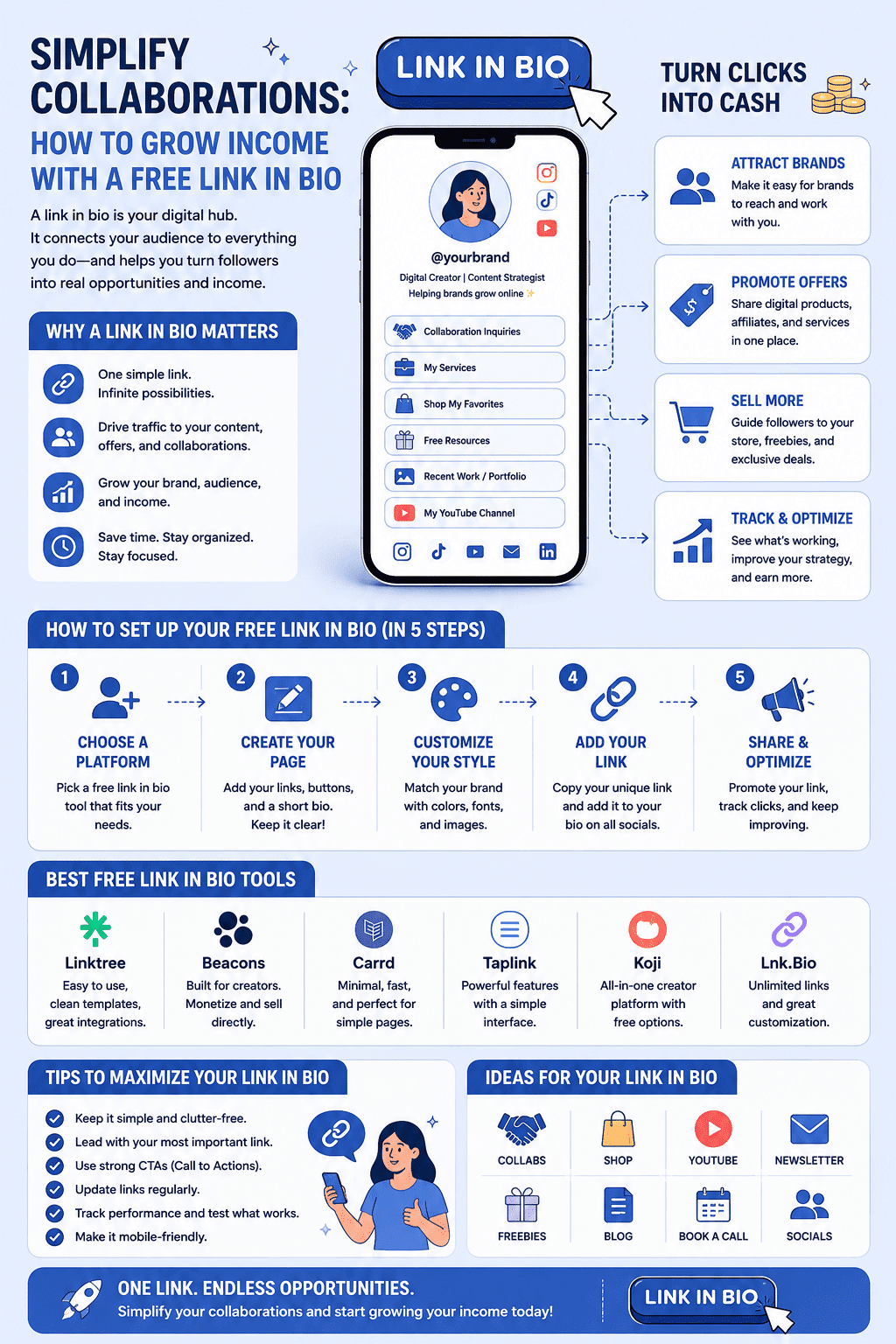
A free link in bio is not about being cheap. It is about being clear. When your collaboration path is obvious and your offers are easy to understand, brands trust you more, your audience buys faster, and your income depends less on algorithm luck.
Treat the page like a tiny landing page built for people on phones. Keep it focused, keep it updated, and make it easy to hire you.
Free Link in Bio Questions: Tools, Fees, Disclosure and Tracking
It depends on how you earn. Beacons includes a media kit and a store on its free plan but takes 9% of each sale. Linktree is the most recognized hub, though analytics and fee-free selling sit on paid plans. If paid brand orders are your main income, a marketplace-style tool with prepaid orders fits better. Pick the tool that matches your main income stream.
Yes. Linktree has a free plan with unlimited basic links and email or phone sign-ups. Basic analytics start on the Starter plan, and removing Linktree branding or selling with 0% fees requires Pro.
No. Stan Store offers a 14-day free trial, then paid plans start at $29 a month for Creator and $99 a month for Creator Pro. It suits creators who sell bookings and digital products rather than anyone looking for a setup that costs nothing.
Yes, on sales. The Beacons free plan includes unlimited links, a media kit and a store, but Beacons takes 9% of each sale made through it. Higher paid plans remove that fee.
Put a one-sentence headline, a Work With Me button that opens a short inquiry form or packages page, proof such as past partners or one verifiable result, and three to six supporting links. A brand should understand what you offer within about ten seconds.
No. The FTC says disclosures placed only on a profile or About Me page are likely to be missed. Label each sponsored post or video itself with plain words such as ad or sponsored, and label affiliate links on your bio page as well.
Most creators do best with one primary button and three to six supporting links. More choices spread taps thin, so fewer people act on any single link.
Divide link taps by profile visits to get your bio click-through, check which buttons get tapped, and count real conversions such as brand inquiries, purchases and signups. Add UTM parameters to links that point to your own site so your analytics can separate bio traffic.
Usually, yes. Instagram shows the first link and hides the rest behind a tap, and TikTok gives you a single website field once your account qualifies. One bio page lets you use the same URL everywhere, add a Work With Me form and proof, and see which buttons people actually tap.
Not to start. A link in bio page is quicker to set up and built for taps from social apps. A website gives you more control and can rank in search on its own. Many creators use both, with the bio page as the front door and the website as the deeper hub.
